

BLOG
The Artist's Den
The Artist's Den from amRUNjeva on Vimeo.
Did you enjoy this blog post? If so, then why not:
Leave Comment | Subscribe To This Blog | Email Me
Texture in Computer Graphics
The feel of an object's surface - its physical texture - depends on the degree to which it is broken up by its composition or treatment. The more broken, the rougher the texture. This not only determines how we feel it, but also how we see it. Rough surfaces intercept light rays, producing an often irregular pattern of lights and darker; glossy surfaces reflect the light more evenly, giving a less broken appearance. As we see these patterns of different values, our memory of touching surfaces with similar characteristics then triggers a tactile response or sensory reaction. Thus, we can predict an object's feel without ever touching its surface.
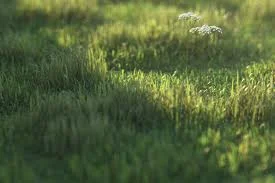
CG Grass
Did you enjoy this blog post? If so, then why not:
Leave Comment | Subscribe To This Blog | Email Me
Side Lighting in CG
Side lighting emphasizes an object's mass and helps develop the contours of its form; however, a light placed directly in front of the object (or multiple lights evenly spaced on either side) will seem to flatten the object by centering the highlight, restricting the shadow area, and limiting the range of value that defines the object. Not to be overlooked, of course, is the strength of the light source itself. Extreme drama often requires the greatest contrast possible.
Although lights and shadows exist in nature as the by-products of strict physical laws, CG artists often adjust them to enhance the three-dimensional effect of a rendering and/or provide greater compositional interest.

Side Lighting
Did you enjoy this blog post? If so, then why not:
Leave Comment | Subscribe To This Blog | Email Me
DirectX Shader for Blueprint Modeling in 3DS MAX
DirectX shaders are slow in 3ds Max, especially when they are applied on a lot of objects, so use them sparingly. If you want to model from a print, but don't need the high quality background, you can use this blueprint modeling technique
Now, here is how you lock your planes from getting moved.
Did you enjoy this blog post? If so, then why not:
Leave Comment | Subscribe To This Blog | Email Me
Blueprint Modeling
Typically, my projects start with PDF's. Today, I am modeling a roof to a custom home, so I thought I would take the opportunity to record my screen. The process is straightforward but isn't thoroughly documented any place. I hope you enjoy, and if you have any questions, please comment. Is your blueprint image not clear enough? There is another way to model from a blueprint, and it using a Directx shader.
Now, here is how you lock your planes from getting moved.
Did you enjoy this blog post? If so, then why not:
Leave Comment | Subscribe To This Blog | Email Me
Aerial Perspective
Far-off objects don't just appear smaller as they recede, they also become less distinct, with little visible detail, paler colors, and reduced contrast of tone. This is known as atmospheric, or color perspective, and is the primary means of creating the illusion of space in a rendering. Tiny specks of dust in the atmosphere cause colors and tones to become paler in the distance, where objects have exceedingly little distinguishable detail. The colors also become "cooler", with more blues, grays, and blue-greens.
As far as I know, and for the most part, there isn't a render engine that can produce this natural phenomenon. So, take some artistic liberties in post production, to bring your exterior renderings to a whole new level, by using levels and curves, to achieve the color perspective effect.

Color Perspective
Did you enjoy this blog post? If so, then why not:
Leave Comment | Subscribe To This Blog | Email Me
Artist's Tip - Post Production
The most enjoyable part of any rendering is adding the finer details of light and color, but don't overdo things or the rendering could become busy and overworked. It is not always easy to know when a rendering is finished, so if you are not sure, put down the mouse for awhile and then come back to it with fresh eyes.

Post Production
Did you enjoy this blog post? If so, then why not:
Leave Comment | Subscribe To This Blog | Email Me
Every Student In Every School Should Learn To Code
Code.org is a non-profit foundation dedicated to growing computer programming education. Our goals include:
- Spreading the word that there is a worldwide shortage of computer programmers, and that it's much easier to learn to program than you think.
- Building an authoritative database of all programming schools, whether they are online courses, brick+mortar schools or summer camps.
Our vision is that every student in every school has the opportunity to learn how to code. We believe computer science and computer programming should be part of the core curriculum in education, alongside other science, technology, engineering, and mathematics (STEM) courses, such as biology, physics, chemistry and algebra.
Did you enjoy this blog post? If so, then why not:
Leave Comment | Subscribe To This Blog | Email Me
Artist's Tip - Compare Shapes and Directions
It is important to compare shapes and directions when you draw. Usually people see objects in isolation; for example, landscape is seen as first one tree, then another, and then a background. As an artist, you need to learn how to see and compare all these features simultaneously, and use background features as a check for shapes.
Did you enjoy this blog post? If so, then why not:
Leave Comment | Subscribe To This Blog | Email Me

3D Scanned Humans
For adding some human warmth to your images & animations...
I looked high, and low, for good 3D people. I landed on Human Alloy, and I was pleased with them.
Lobby Rendering Using 3D People Scans
Did you enjoy this blog post? If so, then why not:
Leave Comment | Subscribe To This Blog | Email Me
Go Beyond Literally Copying the World
Conception and creativity have always been part of the artists impression, it is usually a matter of degree as to how much an artist use their imagination and how much they use their perceptual vision in the selection and development of their rendering.
Artist, therefore, go beyond verbatim copying and transform into their personal style. Capable artist, whatever the level of creativity they employ, are able to convince us that the fantasy is a possible reality. Any successful work of art, regardless of the medium, leads the thoughtful observer into the persuasive world of the imagination.

Did you enjoy this blog post? If so, then why not:
Leave Comment | Subscribe To This Blog | Email Me
3Doodler: The World's First 3D Printing Pen
It's a pen that can draw in the air! 3Doodler is the 3D printing pen you can hold in your hand. Lift your imagination off the page!
Did you enjoy this blog post? If so, then why not:
Leave Comment | Subscribe To This Blog | Email Me
Render, Render, and Render Some More
Render, render, render. Don't be afraid to experiment. Play. Once you've learned to do something, don't keep doing it the same way over and over - get out of your comfort zone. Use what you can from others and believe in yourself. Don't render for grandma, don't render for the market - render to please yourself and you'll be OK.

Did you enjoy this blog post? If so, then why not:
Leave Comment | Subscribe To This Blog | Email Me
10 Rules for Being a Professional Artist
You may have been one of the lucky readers who got their hands on a hot magazine that Artists Network published several years ago: Acrylic Artist.

If you didn't happen to get a copy (digital issues of Acrylic Artist are still available in NorthLightShop.com), then you may have missed the work of Mark Gould. I was browsing through an issue recently, and his acrylic landscapes once again caught my eye, such as his painting My Neighbor's House 816 (above; acrylic on panel, 24x36). In this feature article, Mark shares his philosophy for professional creatives that I thought was worth passing along here:
Mark Gould's 10 Rules for Being a Professional Artist
1. Creative efforts take priority over other activities whenever possible.
2. Simplify all aspects of life in order to think and act creatively.
3. Ensure the creative process is always challenging and enjoyable; always balance a risk of failure with the potential for success in order to keep efforts honest and engaging.
4. Be the eternal student, always willing to learn.
5. Welcome other opinions-good, bad or indifferent-but never relinquish final judgment to another.
6. Seek out people who are positive in their approach to the creative process and welcome their constructive critique. Avoid negative people and their attitudes, even when personal sacrifice is required.
7. Think before committing time, money or other resources to any future aspect of the creative endeavor. Be certain that both feeling and logic regarding the decision are sound.
8. Release to the public only those works that are fully "competent and satisfactory," those that are properly executed with a high degree of creativity.
9. Never become problematic for any gallery or collector. Be sincere and forthright in all gallery dealings. Require absolute honesty in return.
10. Be truthful and self-aware in regard to your creative efforts. Only then can artistic vision be trusted and improved.
Great reminders! If you're ready to take this advice to heart, especially the points that are on the creative side, Acrylic Solutions: Exploring Mixed Media Layer by Layer by is a great resource. In it, Chris Cozen and Julie Prichard share more than 30 painting lessons to keep you actively moving toward your own art goals
Did you enjoy this blog post? If so, then why not:
Leave Comment | Subscribe To This Blog | Email Me
The Sketch Is Where It All Begins
The idea for a rendering may be derived from anything, really - a flash of sunlight, the tilt of a head, a glass on the table, but the sketch is where it all begins, the point where inspiration meets artist. Gloriously free of the need to get it right, the sketch is where possibilities are explored, compositions are found and visions come to life. Sketches represent the art in its raw form.
Sketching is messy, unfinished and noncommittal. It allows you to have fun and think about things more unconventionally - without the expectation that it has to lead to anything at all. Sketches are a byproduct and castoffs of a thought in the process.
Year ago I would jump right into a rendering as soon as I got an idea. This would occasionally result in a decent rendering, but not as often as I'd have liked. When I started planning first and working things out in advance, my success rate tremendously went up. Sketching is unquestionably worth the time. Sketching has taught me that it's all about balance - between planning everything out and following that plan, but also allowing for hidden surprises and spontaneous happenings.

Did you enjoy this blog post? If so, then why not:
Leave Comment | Subscribe To This Blog | Email Me
Acrobat 9 Pro: Creating Multimedia Projects with Brian Wood
Acrobat 9 Pro has the ability to integrate JavaScript, multimedia, and Flash within interactive PDFs. In
Acrobat 9 Pro: Creating Multimedia Projects, Brian Wood teaches web developers, graphic designers, and anyone else how to use Adobe Acrobat 9 Pro. He shows how to create visually exciting PDF presentations, documents, and interface elements for distribution on the web, on CD/DVD, and via email. Brian explains the difference between embedded and linked media elements and shares several JavaScript examples that relate to all aspects of multimedia. Exercise files accompany the course.
Topics include:
- Working with the new Flash CS4 video integration Embedding and linking to all types of multimedia Creating links, buttons, and other navigation systems Integrating layers and buttons for web page-like effects Adding sounds to complement embedded video action Using buttons and bookmarks to interact with layers
Did you enjoy this blog post? If so, then why not:
Leave Comment | Subscribe To This Blog | Email Me
The number one benefit of information technology
“The number one benefit of information technology is that it empowers people to do what they want to do. It lets people be creative. It lets people be productive. It lets people learn things they didn’t think they could learn before, and so, in a sense, it is all about potential.”
Did you enjoy this blog post? If so, then why not:
Leave Comment | Subscribe To This Blog | Email Me
What is freelancing?
In this course, author and seasoned freelancer Tom Geller shows you how to prepare for a transition to freelancing. Begin by taking a look at your career goals, the systems that will support you, and proper ways to plan for success. Find out how to marshal your resources, refine your portfolio for presentation to clients, and estimate your costs to avoid any surprises on the financial front. Plus, discover how to create invoices, manage your books and taxes, expand your client base with marketing, and grow your business.
Topics include:
- What is freelancing?
- Defining your career goals
- Funding your startup
- Getting licenses, permits, and insurance
- Setting prices
- Finding work through agencies
- Getting referrals
- Working with time and project management tools
- Increasing your rates
The whole course can be found here
Did you enjoy this blog post? If so, then why not:
Leave Comment | Subscribe To This Blog | Email Me
Movement
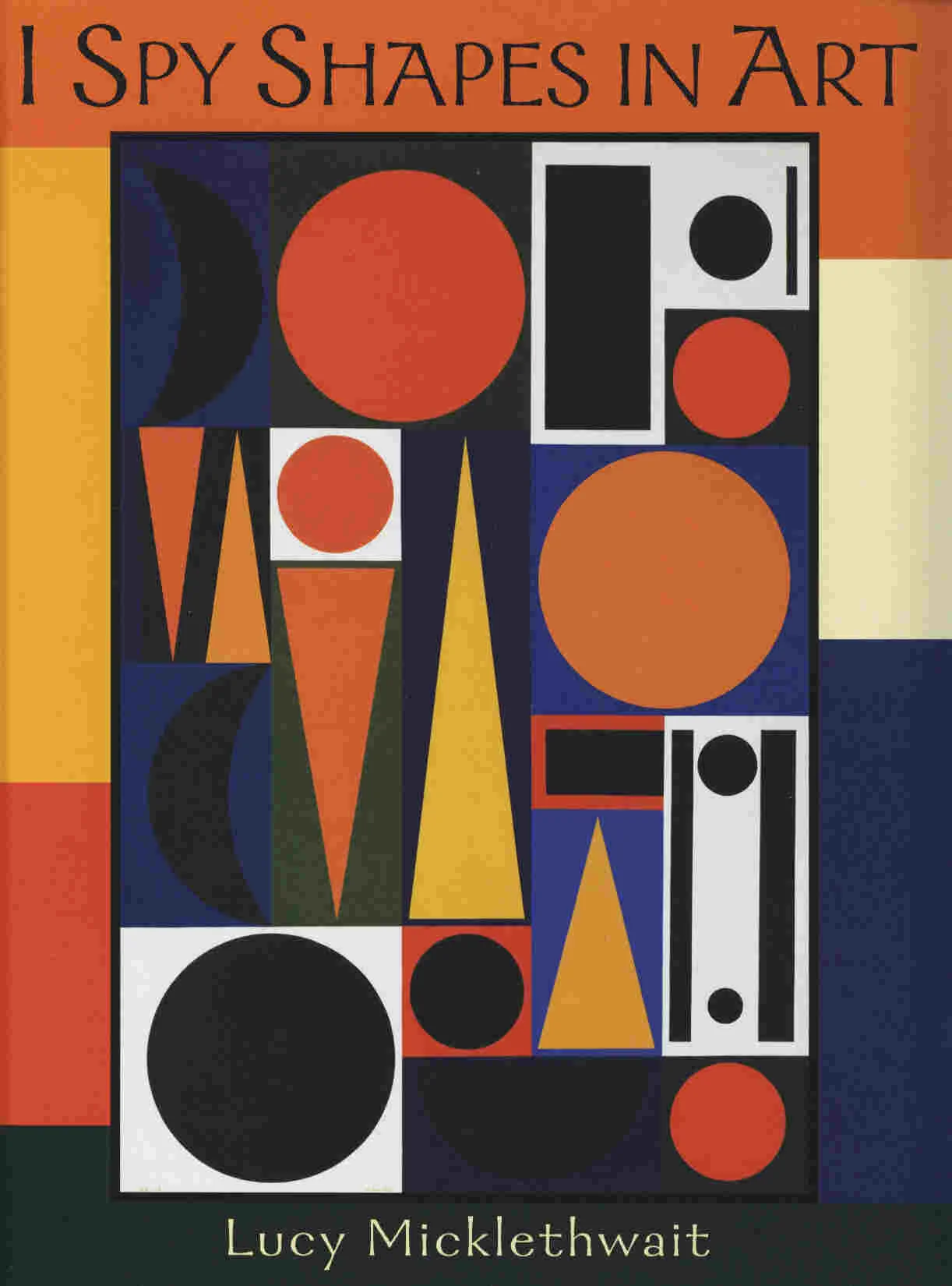
Architectural Illustrators can use the shape, along with the other element form, to generate visual forces that direct our eyes as we view the rendering.
Many shapes, such as the triangle, have a general body movement that points in one specific direction. Obviously, not all shapes are equally important in contributing to movement, for some provide more of a directional force than others. Compare, for example, the 'forceful" rectangle to the "stable" but less directional square.
As a general rule, the longer the shape, the greater the directional force.

The "forceful" triangle
Did you enjoy this blog post? If so, then why not:
Leave Comment | Subscribe To This Blog | Email Me